
Open Painter in Lian Wu
Lian Wu is a Mac app for the AI you already use. Its Guilds are ready-made tools. This one is Painter.
Attach the logo, describe the drink, choose a square
Attach the shop's logo as a reference. Describe the drink in your own words, with the logo as a small sticker. Pick a square for the post, and four pictures per Draw.
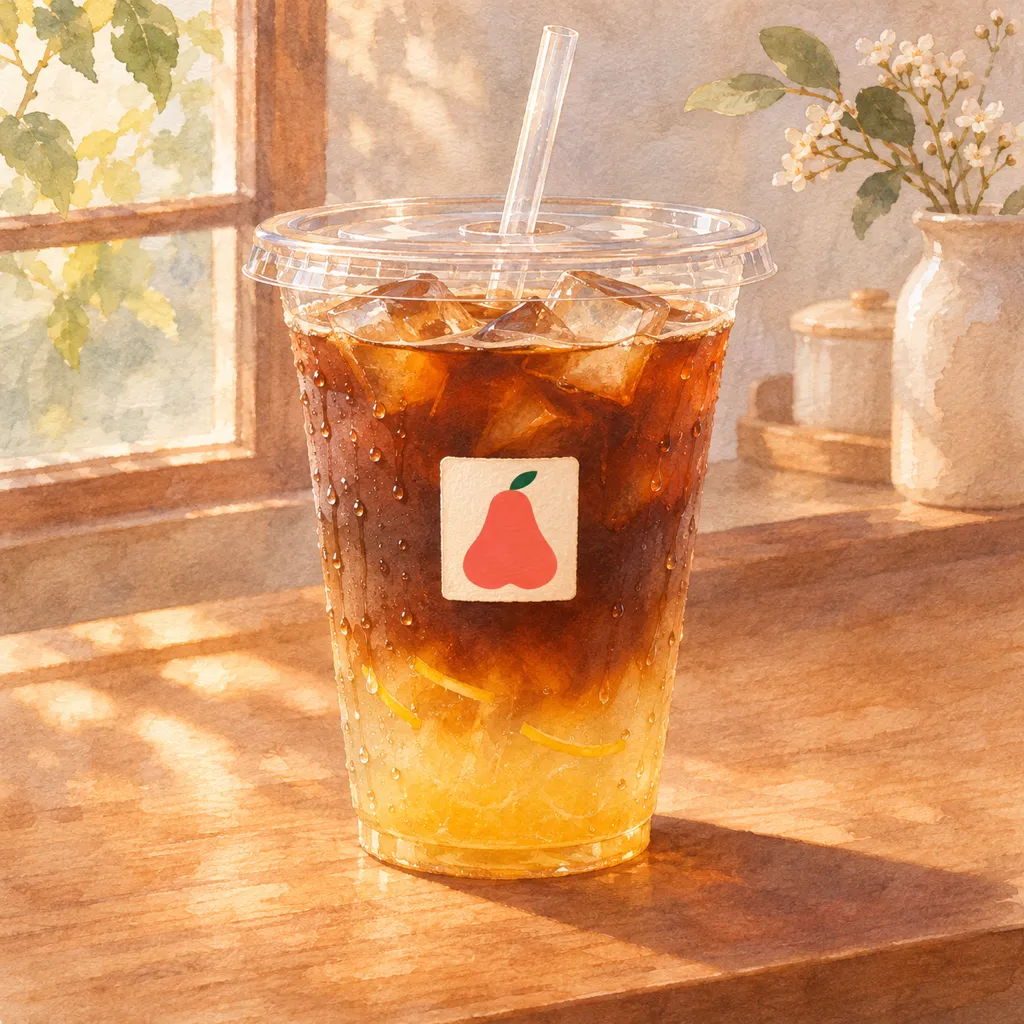
A watercolor illustration of an iced yuzu coffee in a clear plastic cup on a wooden counter, soft morning light. On the cup is one small square paper sticker, about one fifth of the cup's width, printed with the logo from the reference image, exactly as it is. No other text.
Draw four drafts and pick the shop's look
Press Draw. Four drafts are drawn at once. Four different takes on the same sentence. Pick one. It is tonight's post, and the look for everything else.
Make the screen in the window from it
Use it as the reference for the next piece. For the window screen: a tall shape, with the name and price. Painter reads the reference first, then draws. Same cup, same style, sized for the screen.
The same cup as a tall poster for a window screen. Write LIAN WU CAFÉ at the top, then ICED YUZU COFFEE and $5.50 below it. Keep the small logo sticker on the cup exactly as it is, the same size.

Make the electronic sign outside
For the sign outside: the widest shape, with large letters. The same reference, a new shape. An electronic sign can show a new picture every week.
The same picture as a wide banner for the electronic sign outside. Large letters: LIAN WU CAFÉ on the first line, ICED YUZU COFFEE on the second. Keep the small logo sticker on the cup exactly as it is, the same size.

Make a card for the menu
For the menu: a card for the new item, in the same style. Third piece, still one reference. Menus change rarely. The new item still matches.
The same cup on a menu card: the cup in the upper half, the words ICED YUZU COFFEE under it, and empty cream paper below for a short description. Keep the small logo sticker on the cup exactly as it is, the same size.

See it in place before you install it
Want to see it in place first? Ask for a preview. A drawn preview of the window, before anything is installed.
A small café front at dusk, seen from the street, as a watercolor illustration. A tall screen in the window shows the poster from the reference, unchanged. The sign above the door shows the logo and the words LIAN WU CAFÉ.

Next week: a new drink in the same look
Next week, a new drink: one sentence, the same look. A new drink, drawn from last week's picture. The screen gets a new picture. The café keeps its style.
The same poster for next week's drink: an iced strawberry matcha latte. Three lines of words at the top, all well inside the picture with wide margins left and right: LIAN WU CAFÉ, then STRAWBERRY MATCHA LATTE in smaller letters, then $6.00. Keep the small logo sticker on the cup exactly as it is, the same size.

Every piece, one look
Every piece came from one sentence and one reference.
Take the files to the screen and the printer
Every picture stays in the gallery on your Mac. Show in Finder gives you the files for the screen and the printer.
Music in the film: “Amazing Grace” by Casa Rosa, from the YouTube Audio Library.